X-Plane NMEA/Garmin GPS Converter
I wrote a little utility for my Mac, to connect the X-Plane flight simulator to other software which accepts GPS data in NMEA or Garmin Aviation format. This can be used to practice using GPS devices while on the ground.
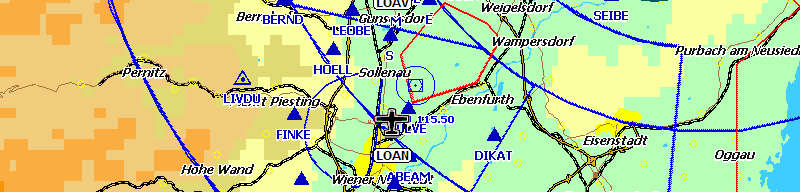
I successfully tested the program with PocketFMS running on a PDA, transferring data via a Bluetooth Serial connection from the Mac to the PDA, and with a Garmin GPSMAP 495 unit.
The program is available for X-Plane version 8, X-Plane version 9, and X-Plane version 10.
This application runs on Mac OS X. It is not a classical "X-Plane Plugin" but an external program which receives data from X-Plane (position, speed etc.), converts it to NMEA or Garmin format, and sends it to the serial device which you selected.
If you run X-Plane on Windows, you do not need this program, because X-Plane can send NMEA by itself on this platform.
Download
Converters for usage with NMEA devices (PocketFMS etc.):
NMEA-Converter for X-Plane 9 (release date 2012-01-04)
NMEA-Converter for X-Plane 10 (release date 2012-01-04)
Converters for usage with Garmin Aviation Format devices (GPSMAP 49x etc.):
Aviation Format Converter for X-Plane 9 (release date 2012-01-04)
Aviation Format Converter for X-Plane 10 (release date 2012-01-04)
If you want to be notified about changes or new versions, please send me a mail!
Hints & Tips
Setting the Baud rate of your serial connection
Currently my program does not allow you to directly change the Baud rate (speed) of the serial connection. The main reason is that I did not need this feature myself, since my PDA does auto-detect the Baud rate.
Anyway, if you need to change the Baud rate on your Mac, you can use the Freeware program "goSerial", which can be downloaded here: http://www.furrysoft.de/?page=goserial
Connecting Garmin devices
If you want to connect a Garmin GPS unit, you can not use the USB cable which comes with the device, but you have to use the Serial cable which is sold separately by Garmin, and - if on a Mac - a USB-to-Serial converter.
Bluetooth Serial Issues One user reported that it was necessary to start "goSerial" (see link above) while running my program, in order for PocketFMS to successfully receive the NMEA data. You can try this if you experience similar problems. This was a serial-over-Bluetooth connection to a PDA.